Run your whole janitorial company in one system.
Most cleaning companies pay for two or three tools that don't talk to each other, so someone types the same building in three times. ClientFlash keeps it all in one login, from the walkthrough and the bid to the invoice.
Built inside a real Colorado janitorial company and run on real buildings before it was offered to anyone else.
- Works on any phone or computer
- Nothing to install
- Send your first proposal the same day
- Your crew works in English or Spanish
Three problems every cleaning company knows.
Three subscriptions that don't talk
A bidding tool, an inspection app, a time tracker. None of them share a building, so your team types the same property into three systems and hopes the copies match.
One low bid, and you're stuck with it
You price a new building on a quick walk and a gut feel for the labor. Come in a little low to win it, and you live with that thin margin for as long as you keep the account.
You're the last to know an account is slipping
It takes months to win a building and one rough stretch to lose it. A skipped night or a missed corner, and the client notices before you do, then quietly starts taking your competitor's calls.
Bid it. Win it. Clean it. Supply it. Bill it.
One building carries through the whole job. Nothing gets typed twice.
Bid it
Walk the building on your phone. The bid builds itself from the rooms, fixtures, and square footage you recorded.
Win it
Send a web proposal with your logo on it. Once they sign, it becomes a live account. Nothing gets typed again.
Clean it
Schedules, inspections, and client requests all run off that same building.
Supply it
Your cleaner flags low stock from their phone. The reorder builds from that building's supply list and emails your supplier.
Bill it
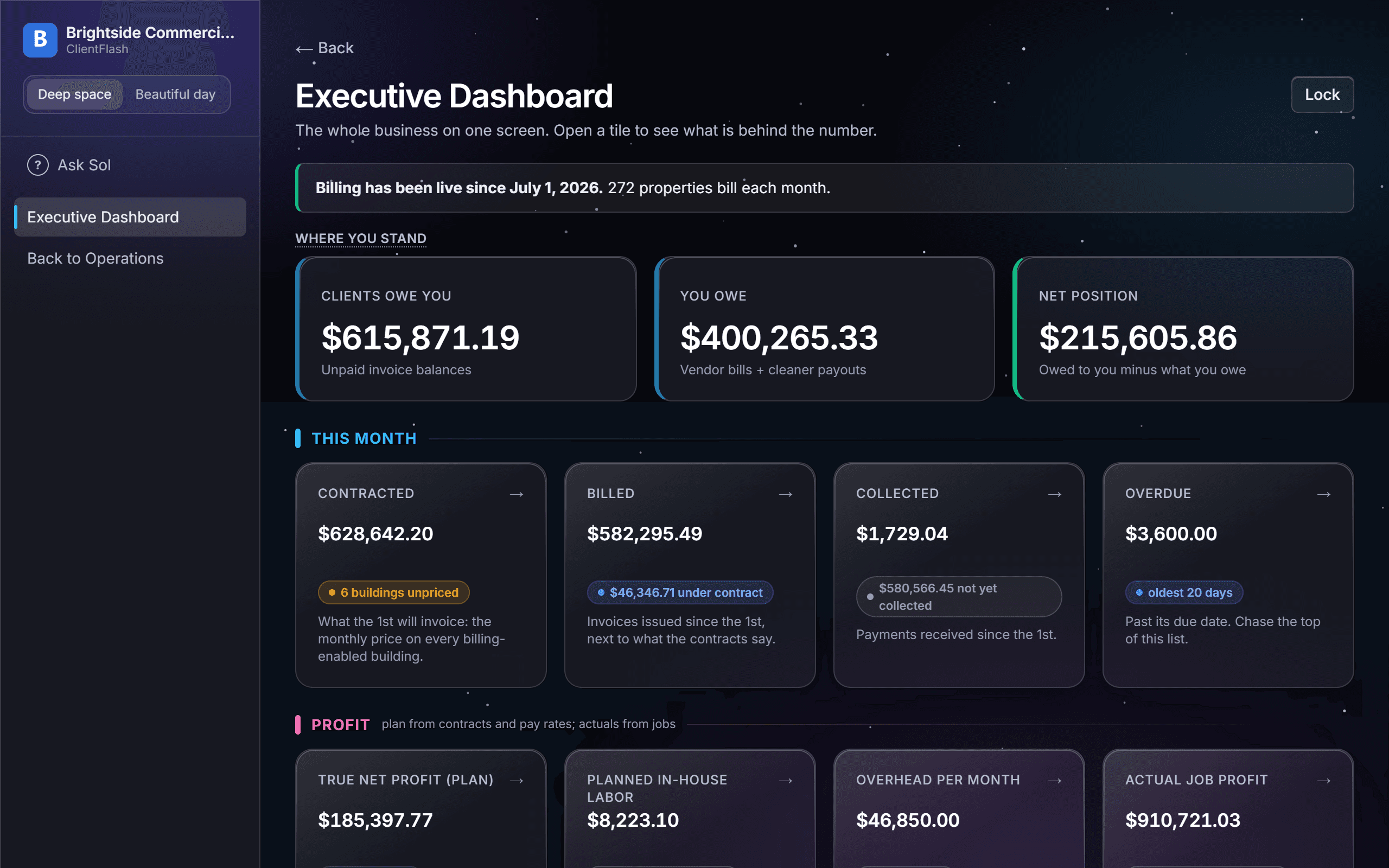
The month's invoices draft themselves, and you see the profit on every building.
The whole business, and it earns its keep.
Most cleaning software is just another bill. This one runs the whole company, from the first bid to profit on every building. Go deeper on bidding and proposals, crews and scheduling, inspections and quality, or invoicing and profit.
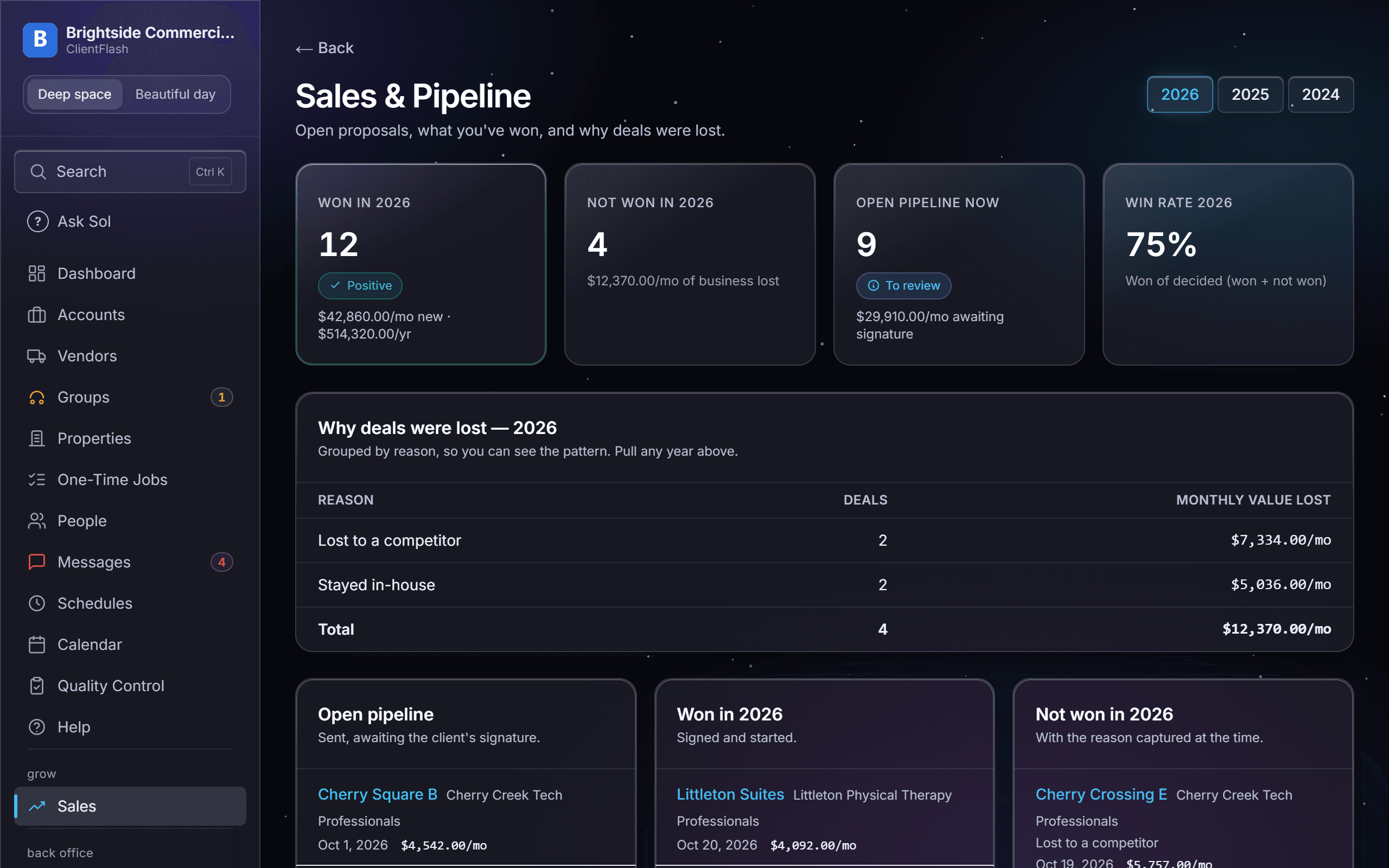
Win the work
From the first walkthrough to a signed contract, without retyping a thing.
One extra carpet job a quarter could pay for the whole app.
- Guided building walkthroughCaptured once, used everywhere.
- Bids that build themselvesOur number next to your gut call.
- Web proposals with e-signature
- Prospect pipelineLead to won.
- Automatic service remindersYour free salesperson.
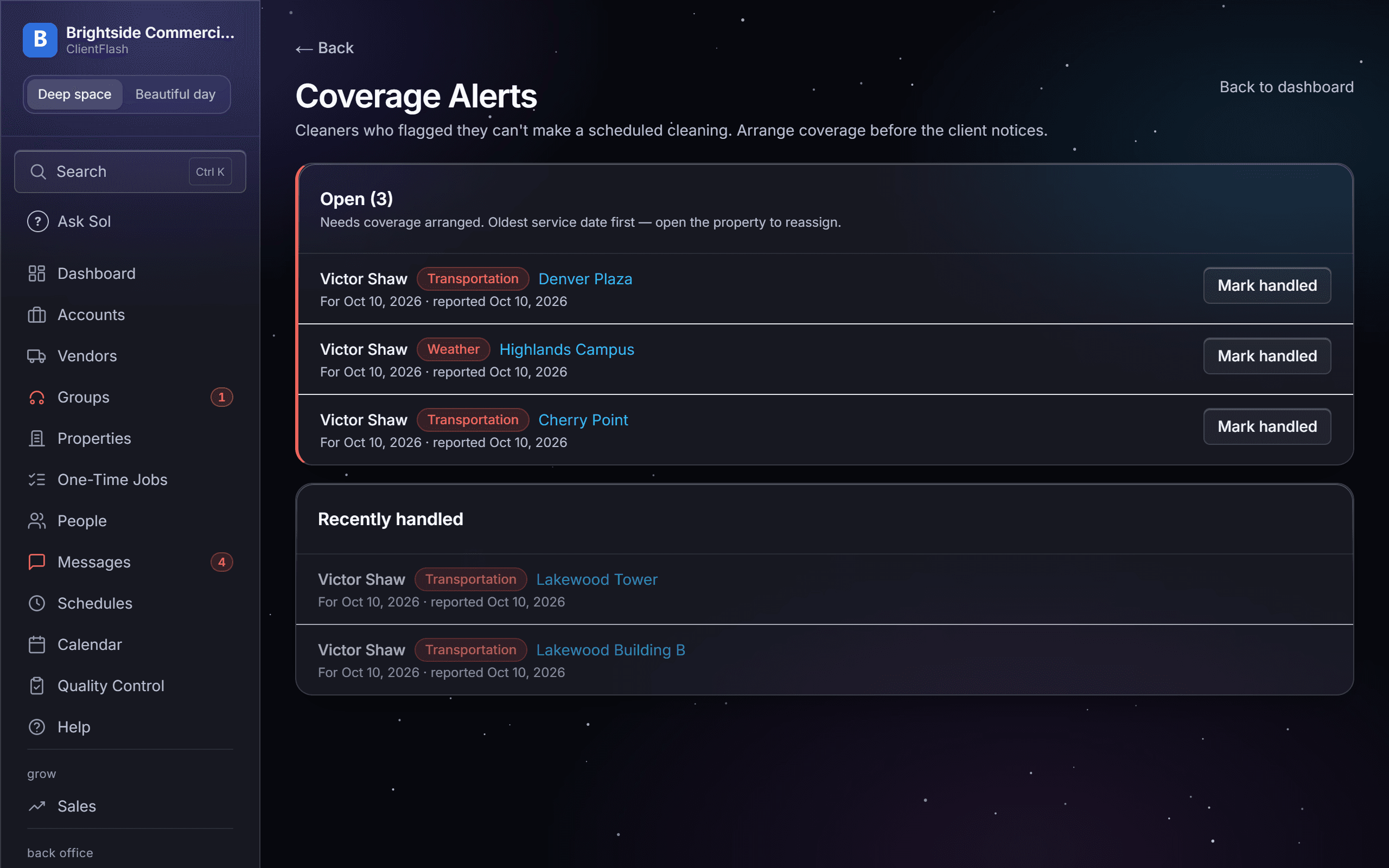
Run your crews
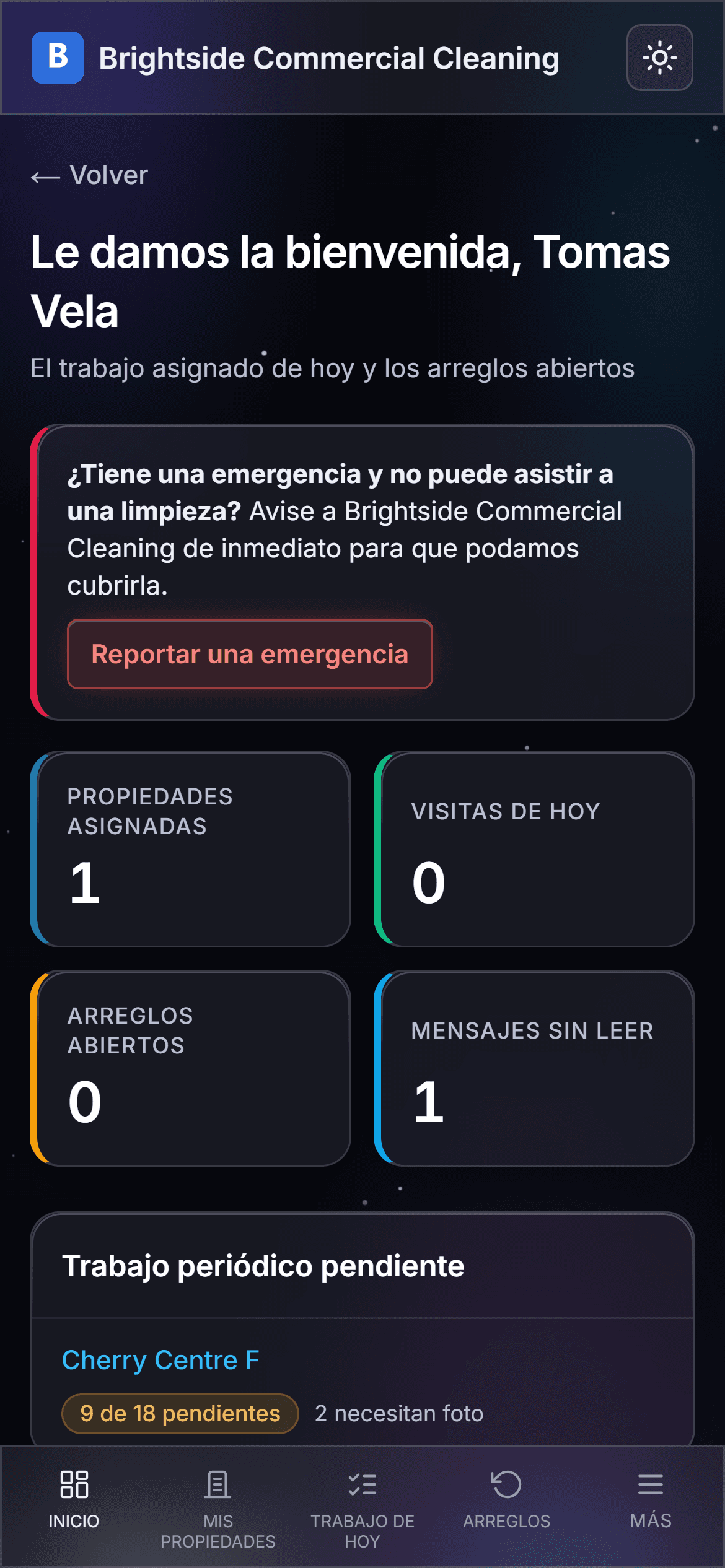
Built for your own W-2 employees first, with subcontractors handled in the same place.
- Employees and subcontractors in one placeW-2 and 1099, together.
- Self-employed cleaners in one stepTheir own W-9, insurance, and pay.
- Mobile clock-in and clock-outGPS-stamped, time-flagged.
- A bilingual crew appEnglish or Spanish, one tap.
- Scheduling with a double-booking warningWeekly, every other week, or monthly.
- Coverage and call-off alerts
- One conversation per buildingRead it in English or Spanish.
- Rebid a building in one linkFirms bid from the real scope.
- Supply lists and one-click reordersYour cleaner flags low stock.
- Cleaner and firm scorecards
- HR personnel files
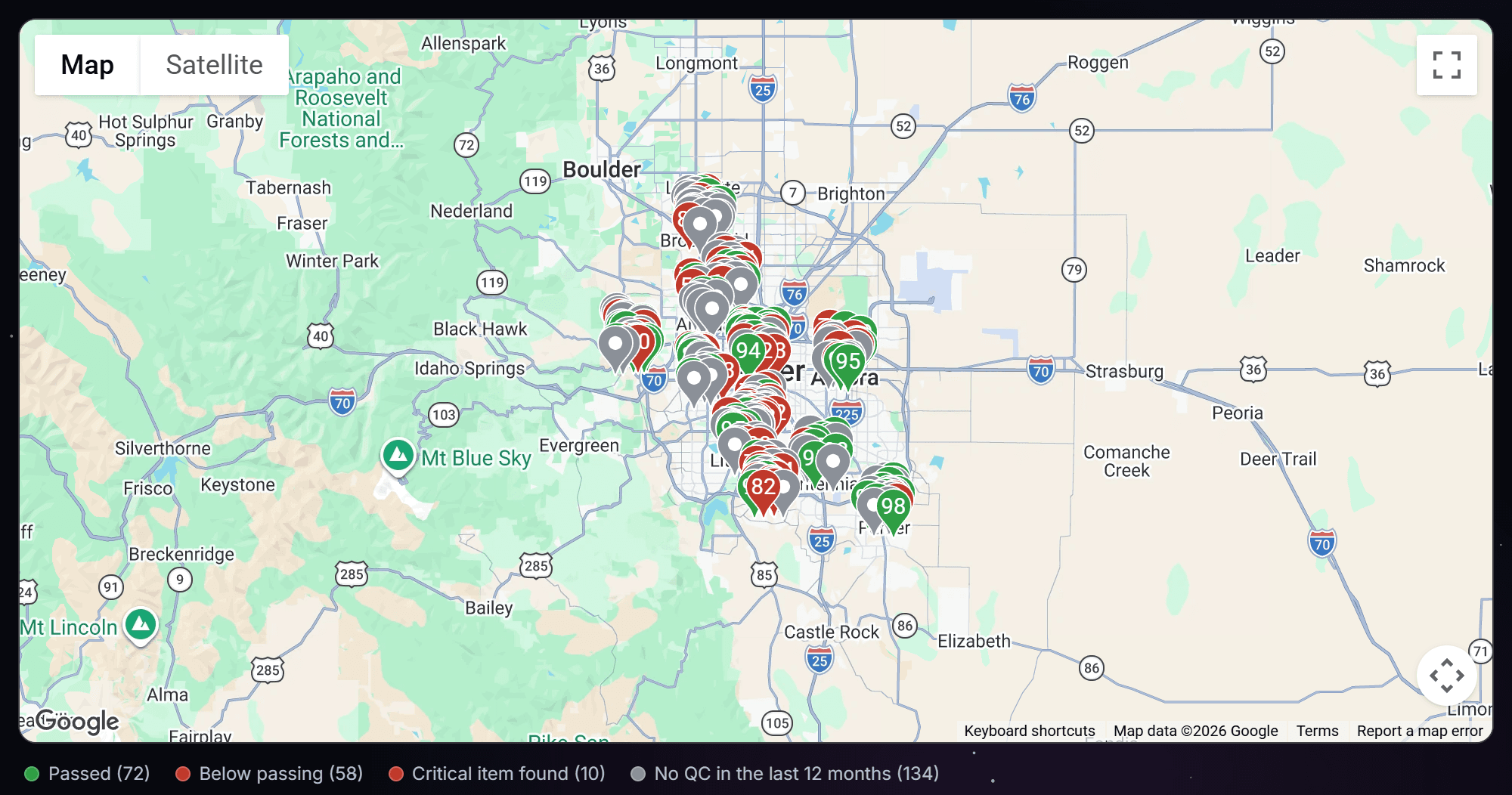
Prove the quality
Inspections built from the real building, and your clients see the results.
- Inspections built from the real buildingNot a generic checklist.
- Scores, grades, and restroom health
- Photo proof on every failure
- Weekly, monthly, quarterly tasksReminded, tracked, closed with a photo.
- Inspection routes on a mapFive buildings a day, nearest first.
- Corrective actions to a named cleanerThe client sees the fix.
- Client reports and a monthly email
Get paid, know your profit
Bill every building, pay every sub, and see what you kept.
- Recurring invoicingPer building or combined.
- Know what you are owedAging and statements.
- Profit on every buildingCounts your own crew's labor.
- Subcontractor payoutsInsurance-checked before they are paid.
- Bill vendor costs through with markup
- Accounts that span statesA card per state, totals that add up.
Built to run a business on
The trust layer under all of it.
One platform vs. a pile of apps.
Most software for this industry does one job, so you end up paying for a bidding app, an inspection app, and a time tracker that don't talk. The big corporate systems do everything, but they're built and priced for national chains. ClientFlash does all of it, priced for companies your size.
| ClientFlash | A pile of separate appsone for bids, one for inspections, one for time | Big corporate systemsbuilt for national chains | |
|---|---|---|---|
| Bidding from a walkthrough | Built in | Its own separate app | Paid setup project |
| Web proposals with e-signature | Built in | Not offered | Costs extra |
| QC scoring with photo evidence | Built in | Only in the inspection app | Costs extra |
| Client portal | Built in | Rare | Extra fees per login |
| Supply lists and reorders | Built in | Texts and sticky notes | More setup work |
| Invoicing and statements | Built in | Re-key it into QuickBooks | Included, but complicated |
| Subcontractor payouts | Built in | Not offered | Paid setup work |
| Profit per building | Built in | Not offered | After months of setup |
| Pricing you can see upfront | Public, all-inclusive | Call for a quote, per app | Call for a quote, per user |
| Setup time | Days | Days per app, three times over | Months |
Every plan includes every feature.
Priced by the buildings you clean under contract, not by how many people you add. No cap on buildings or users. See the full pricing page for what counts as an active building, the terms, and everything that is included.
No add-ons. No per-user fees. No surprises at renewal.
Everything ClientFlash does is in every plan, for unlimited users. Here is what other cleaning software slips onto your invoice that you will never see on ours:
Your plan above is the whole bill. A lot of software in this industry charges extra for the parts you end up needing. We built the opposite.
Every plan includes bidding, proposals and e-signature, quality control, the client portal, invoicing and statements, subcontractor payouts, the bilingual cleaner app, white labeling, and every feature we ship next.
Built inside a real janitorial company.
ClientFlash wasn't built by a software company guessing what cleaning companies need.
It was built inside a local Colorado commercial cleaning company, by people who got tired of paying for three tools that didn't talk and finding out too late which buildings lost money.
Every feature ran on real buildings, real crews, and real invoices before it earned a place in the product. The bid math was checked against jobs we actually cleaned. The Spanish cleaner app exists because our crews needed it, not because a focus group did.
We're not going to fake testimonials or invent a customer count. When our founding customers have something to say, you'll read it here.
Fair questions.
How do I get my existing data in?
Send us your spreadsheets and we move them in for you, or upload them yourself. The import reads your accounts, buildings, people, and suppliers, and AI matches your columns, with an Undo if anything looks wrong. The room-by-room detail comes from walking each building once in the app, because that walk is what makes your bids and task lists right.
What does onboarding look like?
We set up your company and move your spreadsheets in for you. Your office can practice on a training copy of your own company first. Nothing to install, and you can send your first proposal the same day. Help guides with pictures of the real screens are built in, including a crew guide in English and Spanish.
Is my data safe?
Every company's data is walled off from every other company's at the database. Two-factor login is available on every account, and you decide which of your staff can see money screens and HR files. The database is backed up daily, and photos and files every 15 minutes.
Do you do payroll?
No. ClientFlash tracks W-2 pay rates so your crew's hours count in your profit per building. It can read hours from your time-clock file, and it exports payroll hours ready for your payroll system. The paychecks stay there.
Does it sync with QuickBooks?
Not yet. The QuickBooks Online connection is built, and we turn it on once the last setup steps with Intuit are done. Today, invoices and statements go out by email with a pay-online link from your own payment processor, and you record payments in a couple of clicks.
What are the contract terms?
Monthly. Cancel anytime. Founding customers keep their locked price for as long as they stay.
See your own numbers in it.
Book a demo and bring one real building. We'll walk it into the system live, bid it, and show you where the profit sits.